
RTL-SDR.com review of the new RSP1A

Carl Laufer, author of RTL-SDR.com has published a comprehensive review of the RSP1A and summarises the improvements he sees in the new SDR:
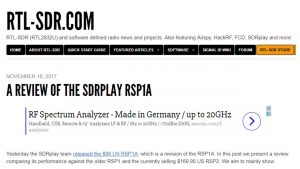
Carl Laufer, author of RTL-SDR.com has published a comprehensive review of the RSP1A and summarises the improvements he sees in the new SDR:
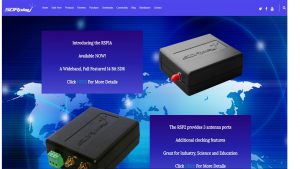
SDRplay Limited has today announced the launch of a new Software Defined Radio product – the RSP1A.
Check out this special announcement video: https://youtu.be/l_PL–ZQ7hE
The SDR-play RSP1A is a major upgrade to the popular RSP1 and is a powerful wideband full featured 14-bit SDR which covers the RF spectrum from 1 kHz to 2GHz.
Due to its exceptional combination of performance and price, the RSP1 has proved to be a very popular choice as an “entry level” SDR receiver. Since launching the RSP1, we have learned a great deal about what people are looking for in SDR receivers, and where possible, we have incorporated these improvements and new features into the RSP1A.
The RSP1A therefore delivers a significant number of additional features which result in benefits to amateur radio enthusiasts as well as significant benefits for the scientific, educational and industrial SDR community.
Here are the main additional features of the RSP1A compared to the original RSP1:
When used together SDRplay’s own SDRuno software, the RSP1A becomes a high performance SDR platform. The benefits of using the RSP1A with SDRuno include:
SDRplay has also worked with developers of the popular HDSDR, SDR-Console and Cubic SDR software packages to ensure compatibility. As with the RSP1, SDRplay provides multiplatform driver and API support which includes Windows, Linux, Mac, Android and Raspberry Pi 3. There is even a downloadable SD card image available for Raspberry Pi3 which includes Cubic SDR.
The RSP1A is expected to retail at approximately £76 (excluding taxes) or $100 (excluding taxes)
————end of official press release————-
We also sell direct from this website – go to http://www.sdrplay.com/purchase/ and enter your country to confirm taxes and shipping costs to your location – the transaction will not go ahead until after these steps.
I would just like to add a word of thanks to all of our external beta testing group, but in particular, Paul Jones, Preben Lohse Rasmussen, Carl Laufer, Mile Kokotov and Thomas Witherspoon, whose real-world testing and impartial feedback during the development process of the RSP1A was essential in helping us make great improvements to the product.
SDRuno release 1.21 has now been released. This release of SDRuno contains the following amendments and bug fixes:
1. Restored VFO button for centring of the VFO on the SP1 display
2. Changed the default step size for USB and LSB to 500 Hz
3. Ham band framing buttons can now toggle on or off
4. Recalling stations from the memory panel automatically unlocks the LO if necessary
5. Bug fixes associated with the redrawing the SP1 display
6. Bug fix affecting the storing of calibration values for the RSP2
7. Bug fix affecting CW Zap and CW AFC if the SP2 display FFT is not a 2^n size
8. Changes to the default settings of the SP1 waterfall display
a. Waterfall averaging (WF Ave) now set to ‘off’ by default
b. Tweaks to the default waterfall gain and contrast settings
9. Fixed missing Main Window Instance value
10. Fixed Windows XP support
11. Auto calibration system now selects DAB sub mode if not selected
12. Memory Panel now responds to Ctrl+W
For the changes in the default settings to take place, it WILL be necessary to reset your registry settings, but please note that in doing this, you WILL lose any stored workspaces. We understand that losing saved workspaces when you reset the SDRuno registry settings is frustrating for people and this is something that we will be addressing in a future release.
In terms of future releases, we have a very long list of requests for new features for SDRuno. Some are fairly straightforward to implement and some are very complex and difficult. We have never before published a list of target features for future releases, but we have decided to do so on this occasion. This is intended to give people an insight into what we are aiming for and is NOT a guarantee that any given feature will be implemented. Please be aware that this list is always subject to change at any time.
If we find that we get a chorus of complaints from people disappointed that their desired feature-set is not scheduled for the current or the next release, then we will not make this information available in the future. We have to make priority calls and whilst we aim to implement everything that people want, we cannot do it all at once. I am afraid we are not in a position to indicate when any of these releases will become available.
Feature-sets for future releases:
1.22 Intermediate update
• Customisable frequency step sizes for each mode
• Option to reset SDRuno registry without deleting saved workspaces
• Scheduled recording
1.23 Intermediate update
• Recording of selected signal only (either I/Q or audio) to WAV file format
• Selected signal piped to VAC in I/Q format
• Addition of DDE interface
1.3 Major update
• Frequency scanning
• Remote Client for network based streaming I/Q server applications
1.4 Major update
• Addition of new API for third party plugins
• Separation of VFO and LO frequency control
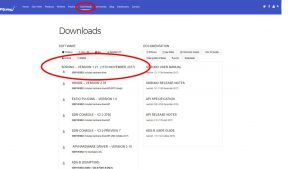
Download link: http://www.sdrplay.com/downloads
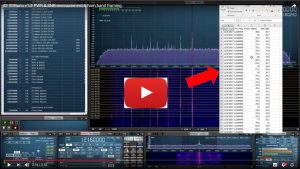
The ability to make a log of absolute RF power levels centered at a given frequency, and of selectable bandwidth, over specified time intervals is a very powerful capability. Even more so, in portable or mobile situations such as field strength monitoring of both wanted and unwanted signals where an accurate, yet simple and low cost solution is desirable. SDRuno makes it easy to record power and SNR readings as a .CSV file, as is described in this new video guide:
Over on the eHam review website (see the link below) we’ve had some very nice comments posted in the last few days from new users of the RSP2pro and RSP2:
KW8L Oct 31, 2017 09:12
AMAZING! Time owned: 0 to 3 months
The RSP2 Pro in one word is, AMAZING! I have had this in my “shack” for a about two months and it does what the manufacturer, SPRplay, says.
Nice to have multiple antenna ports available making it readily adaptable to many different situations and configurations. Small in size, slightly larger than a standard deck of playing cards, all the while being able to “hear” from 1 kHz to 2 GHz. Don’t let the packaging and small size fool you. Quality thru and thru.
I use mine with the included SDRuno software, this allows use as a spectrum scope, panadapter, and very wide band receiver. Lots of features, and some what of a steep learning curve, but worth the time to read, and then re-read the manual again.
Should you find yourself in a situation where issues occur, and answers seem not to be readily available, write them a note. They have successfully answered all of my questions. The user groups are a tremendous asset.
All in all, I would give this product a solid 10 out of 10.
Jack – KW8L
M0MSD Rating: 5/5 Oct 31, 2017 07:55
Excellent Time owned: 6 to 12 months
I can’t praise both the hardware and the support staff highly enough. I just wish all other companies involved with amateur radio would go the extra mile like the SDRPLAY support staff do. I now have two RSP2 Pro units, one for my FTdx5000 and one for my FTDX 300. Both units do exactly what it says on the box. I wanted to do something not usually available with one of the units, the support staff sent me the necessary parts focus. Do you know another company that would do that? If so please let me know and I’ll start using their equipment too.
All I can say is, if you want an SDR or panadaptor then get an SDRPLAY, you won’t be disappointed and their software is as good if not better than any other free software you’ll find.
Please note that I’m only an end user of the equipment and have no other connection with the company.
AE5J Rating: 5/5 Oct 26, 2017 10:36
Amazing! Time owned: 0 to 3 months
Not many products are as impressive as this little unassuming box. I always wanted to dabble with SDR, but could not justify the expense. I got the SDRPlay RSP2 on sale from HRO because the price was almost too good to be true.
Well the RSP2 is better than I expected – by a large margin. I’ve been having a great deal of fun prowling around places I only briefly visited many years ago. The receive is, IMHO, every bit as good as some of the more expensive ham transceivers.
The software from SDRuno works very well, albeit there is a learning curve, but it is worth the investment of time. I’ve also used SDR Console from Simon Brown, the guy who brought us Ham Radio Deluxe. Simon’s software is a bit more aimed at the experienced Ham, but SDRuno offers many of the same features. The answer? Install both and enjoy.
I can’t add much to what has been said already. Be sure and protect the front end on the RSP2. I just connect my main station antenna to the RSP2 OR the ham transceivers. Works amazingly well.
——
If you’re thinking of buying an SDR, you can compare reviews of other radios and SDRs on the eHam website: http://www.eham.net/reviews/products/8
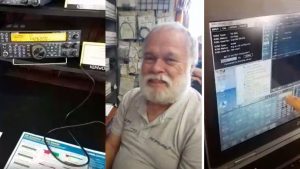
Steve had the opportunity to meet lots of customers at the Denver FallFest last weekend – HRO filmed this live demo of setting up an RSP as a Panadapter with a Kenwood transceiver to work with SDRuno. The video quality is a bit grainy since it was filmed with a cellphone, but you get a good appreciation of the process involved such as making sure the settings are right in Omnirig. Click here to see the video (then click on the ‘play’ arrow)
https://www.pscp.tv/w/1eaKbqMjjRZxX
Meanwhile, many thanks to all of you who have sent comments back to us about the new release of SDRuno.
Following up on the first wave of feedback, Andy our head of software, writes…
Dear All,
It is around 15 months since we announced the acquisition of Studio 1 and released the first incarnation of SDRuno. Studio 1 was an extremely complex and sophisticated piece of software and our first task was the tailor the software to make it more tightly integrated with the SDRplay hardware platforms for ease of use. Since then we have issued a number of new release, aimed at fixing bugs, incorporating new features and improving the usability of the software. Studio 1 was a well written and documented piece of software, but modifying the code written by someone else can in some cases be more time consuming that writing it from scratch, as you first have to unpick what and how it has been done, before you can decide how to modify it.
Release 1.2 involved a major re-write to some of the code base and whilst some of these changes will not be noticeable to every user, we feel it puts us in a better position to develop it further in the way that we would like to.
I would like to stress, that release 1.2 is not the end of the road for SDRuno development. Far from it in fact. We have a very long list of new features that we plan to release and our objective is to be constantly adding to the feature set and improving the user experience for our customers. Inevitably some people will be disappointed that we have not yet incorporated features that they personally would like to see and when this is the case, it is not because we are ignoring them or because we are “dumb”, but because we feel that regular upgrades that give incremental improvements is better than trying to incorporate everything in a massive re-write that would take years to accomplish (literally). Those of you familiar with designing software will appreciate how difficult and time consuming this kind of development can be and finding all bugs can be fiendishly difficult before the software is released. To that end, I specifically want to thank all of our beta testing group, but especially Paul Jones and Preben Lohse Rasmussen for their extremely diligent testing and precise and concise feedback. Without their help, the software would be in a much poorer state than it is now.
For those that haven’t yet got the features that they had hoped for, I would ask that you bear with us. We will get there, but these things take time. If you have any specific ideas for things that you would like to see incorporated, please contact us and we will consider all requests and suggestions that are politely given. Please bear in mind though, that when it comes to stylistic things, an approach that one person may love, another may hate. We cannot make everyone happy with the way SDRuno works, but we will try our hardest.
Many thanks
Andy
Co-Founder & Chief Software Developer – SDRplay
Version 1.2 of SDRuno is now released.
This release addresses a number of usability issues and bug fixes as well as implementing some new features.
The main change to the SP1 display has been to separate the resolution bandwidth (RBW) control from the zoom function. This gives the user the ability to trade off CPU load vs quality of the spectrum display. A number of defaults have also been changed to improve the quality of the main spectrum display.
Some other key changes are that the frequency entry can now be made in MHz as well as the default kHz entry.
Control + W now allows you to save the workspace to a specified slot.
Keypad buttons now not only take you to the specified band, but the sample rate and decimation are changed to enable “band framing” – allowing you to see all of the band within the display.
Another new feature is the ability to store input RF power level and signal to noise ratio (SNR) for a given signal as defined by the displayed VFO in a CSV file. This file is updated at a rate you select in the SP1 settings panel so you can see how the power level and SNR change over time. Note that this is accurate to around 1dB and is a calibrated measurement to the input of the RSP.
Added:
• IQ Wav file custom encoding
• LO LOCK toggle hotkey – ‘K’
• Support for MHz frequency input using the M key
• Support for MHz frequency input using the new . (DOT) and MHz keypad buttons
• IF output frequency and enable state stored
• Auto swap I/Q when in IF output mode
• Facility to save Power and SNR measurements to a CSV file
• Changing modes now changes the default step size
• MCTR / TCTR / RSYN buttons state stored
Changed:
• Keypad Ham band button functionality
• Set and lock LO to centre of the band
• Set SP1 display to show the entire selected band using appropriate sample rate and decimation factor
• Ham band selection indicated by depressed keypad button
• Default demodulation mode automatically selected for major Ham and broadcast bands
• Zoom automatically zooms to the VFO
• Workspaces now saved using CTRL+W
• Default workspace opens windows to try to fill the screen
• MA button default state is enabled
• RBW slider used to define SP1 FFT size and display quality
• Improved zoom functionality
• Improved SP1 and SP2 settings defaults
• Decimation filter improved for reduced spurious aliasing
• Decimation values optimised for performance and usability
• Default demodulation filter bandwidths selected to be appropriate for major Ham and broadcast bands
Fixed:
• LSB/USB filter bandwidths all have same 100Hz offset from centre frequency
• MA button now supports minimise/restore
• Corrected error reporting
• CAT control now supports ID; command
• Improved the ADC Overload messaging functionality. Message colour now more suitable for colour blind people.
See the Downloads page (http://www.sdrplay.com/downloads) for the link to the software and documentation.
Steve from SDRplay will be supporting the Ham Radio outlet team at the Denver Fallfest this weekend. It’s a great opportunity to see the RSPs in action and ask lots of questions.

Meanwhile, back at the ranch, we really are very close to releasing SDRuno Version 1.2 after lots of last minute bug fixes – it will be out this weekend 🙂
Version 1.2 includes:
New SP1 display using new, and independent, zoom and RBW controls
More windows open by default (supports multiple screen resolutions)
Save power (dBm) and SNR (dB) to CSV file over time for the selected VFO
MHz can now be used when entering frequencies
IQ output wav files can be encoded
Keypad buttons now setup the SP1 display to “frame” each band
Saving workspaces is much easier (CTRL+W)
Mode specific step sizes
+ other features and bug fixes
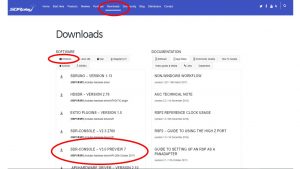
For those of you who enjoy using the amazing SDR-Console, SDRplay’s website’s download for RSP users now includes Simon Brown’s latest SDR Console V3 Preview 7 which has an enhanced spectrum algorithm and CW skimmer now works really well. We encourage donations to be sent to SDR Console at http://www.sdr-radio.com/Software/Downloads
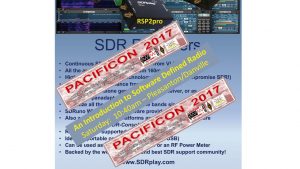
We enjoy supporting live events and next up, is Pacificon, California, where Steve from SDRplay will present an Introduction to SDR on Saturday 21st October at 10.40am in Pleasanton/Danville http://www.arrl.org/hamfests/pacific-division-convention-pacificon-2017
Version 1.2 of SDRuno will be released by the end of October.
Version 1.2 will include:
New SP1 display using new, and independent, zoom and RBW controls
More windows open by default (supports multiple screen resolutions)
Save power (dBm) and SNR (dB) to CSV file over time for the selected VFO
MHz can now be used when entering frequencies
IQ output wav files can be encoded
Keypad buttons now setup the SP1 display to “frame” each band
Saving workspaces is much easier (CTRL+W)
Mode specific step sizes
+ other features and bug fixes
You can check out a preview of the changes here: https://youtu.be/WXi70IDzkJs