
SDRplay at HRO’s upgraded Oakland, California store

This weekend, we were pleased to support the grand re-opening of HRO’s newly upgraded Store at 2210 Livingston St. in Oakland, California.

This weekend, we were pleased to support the grand re-opening of HRO’s newly upgraded Store at 2210 Livingston St. in Oakland, California.
In this video, Mike demonstrated how to use the noise reduction features withing SDRuno: https://youtu.be/E3DYe6h1v_8
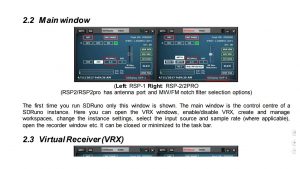
By popular request, the latest SDRuno manual has been updated to include screenshots which illustrate the settings and options in detail. You can download the latest manual from our Documentation section under “Downloads” on http://www.sdrplay.com/downloads/
Mike KD2KOG has just uploaded a couple of videos showing how to set up your Virtual Audio Cable in conjunction with SDRuno – see https://youtu.be/il-4VliXwVk
Some of you may have seen the other recent one Mike made last week which helpfully shows how to start out with SDRuno settings – see https://youtu.be/l7SsCHSj4iQ
Meanwhile more and more RSP users are adding to the knowledge base with their own videos – I try to pick the best of these and add links to them within our YouTube Channel Playlists:
The SDRplay YouTube channel can be found here: www.youtube.com/c/SDRplayRSP – if you make a video and would like it be seen by our community, simply email me the link at jon.hudson at SDRplay dot com – I will then add it to one of the ‘playlist’ categories – e.g. ‘techniques and tips’
I’ve had a frustrating day – I had a nice chat with someone who called +44 1223 911044 – that is the SDRplay incoming Skype number mentioned on our contact page – a number which I personally monitor and answer when at my desk. Usually if we miss a call we can simply call back whoever called. But Skype has a serious problem whereby some numbers you call back simply don’t connect! I had several missed calls from what looked like a French phone number (starting +33) – every attempt to return the call failed!
However, eventually Benny from Israel called at a point where I was actually available to answer, and we had a good chat about some problems with an RSP1 – I promised to send him an email follow up – I must have written Benny’s email address down wrongly, because the email address bounced back and trying to call back on Skype just didn’t work for Benny’s number which started out +33 (as in France!).
The reason I’m writing this as a blog is to encourage Benny to email me directly on jon.hudson at sdrplay.com so that I can follow up and help him out as we discussed!
Benny – please get in touch!!! I am trying to follow up as we agreed!!!!
Best wishes to all, Jon
ADS-B for both RSP1 and RSP2 now available for the Raspberry Pi 2 & 3 – you can get the software from downloads – http://www.sdrplay.com/downloads
If you are an RSP2 user, make sure you use Antenna Port B.
API 2.10 has been released. We recommend you update your system to this latest version. We are constantly improving our software and updating to the latest version will allow us to provide you with better support.
Users can simply go to our Downloads page on: http://www.sdrplay.com/downloads/ and download their choice of software again if they use SDRuno, HDSDR or the EXTIO plugin) to automatically pick up the the latest API. Alternatively you can just download the SDRplay API and replace your older copy wherever it sits in your system for other programmes.
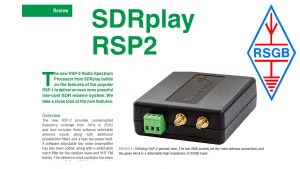
Here is the latest RSP2 review, written by Mike Richards for the April edition of the RSGB monthly RadCom magazine:
We are pleased to announce that Mike Ladd has joined SDRplay in a technical marketing role. Mike is highly respected for his SDR knowledge and, until recently, he co-chaired the independent SDRplay Users Facebook group – https://www.facebook.com/groups/sdrplay/ which has grown to over 5000 members. We are confident he’ll continue to help make SDRplay products great for the SDR user community. Welcome Mike.